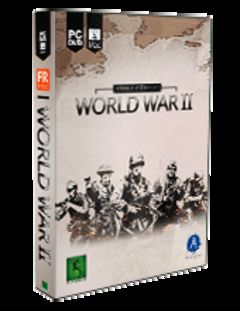
Order of Battle: World War II Patch v.1.6.7, download Order of Battle: World War II Patch v.1.6.7 free, free Order of Battle: World War II Patch v.1.6.7 patch download, free download of Order of Battle: World War II Patch v.1.6.7 patch for Order of Battle: World War II, Order of Battle: World War II free patch Order of Battle: World War II Patch v.1.6.7 download, download for free Order of Battle: World War II Patch v.1.6.7 Order of Battle: World War II, free download full patch Order of Battle: World War II Patch v.1.6.7, direct download link Order of Battle: World War II Patch v.1.6.7, download Order of Battle: World War II Patch v.1.6.7 upgrade
full download Order of Battle: World War II Patch v.1.6.7 Order of Battle: World War II, Order of Battle: World War II Order of Battle: World War II Patch v.1.6.7, free Order of Battle: World War II patches Order of Battle: World War II Patch v.1.6.7, Order of Battle: World War II Patch v.1.6.7 direct download free, Order of Battle: World War II Patch v.1.6.7 download for free, Order of Battle: World War II Patch v.1.6.7 Order of Battle: World War II download link, free download Order of Battle: World War II Order of Battle: World War II Patch v.1.6.7, Order of Battle: World War II Patch v.1.6.7 patch, Order of Battle: World War II update
Description v. 1.6.7
Changelog:
• MP: 2vAI Java and 2vAI Bataan coop maps added
• Gameplay: All torpedo bombers can now switch to bombs
• Gameplay: Experience gain from combat increased
• Specialisation: British Pacific Fleet fixed and adds 2 aircraft on top of the naval units
• Fix: Various unit stats fixed
• Fix: Dutch Overvalswagen APC no longer causes framerate drop on Java scenario
• Fix: Various issues with AI freezing fixed
• Fix: Scenario restart now correctly resets campaign events
• MP: PBEM Lobby, disappearing game names fixed
• UI: Force List, unit category filters added
• UI: Force List sorted by unit nation > category > type
• UI: Empty hexes can be selected to inspect terrain type
• UI: Hex location names visible on map and/or UI
• UI: Checkbox to disable AI spinning animation in options menu
• UI: For transport moves, the potential combat prognosis is displayed for the transport type, not the current unit type
• Strategic Map: Left-click on map moves the camera to that location.



 About Order of Battle: World War II
 More Order of Battle: World War II Patches



 For:
For: